I needed my machine to react to changes, not poll for them. The answer was a 20-year-old macOS feature almost nobody uses: and it beat cron in every way that mattered.
Last week I built a system that auto-commits my machine's configuration: install a Homebrew package, and eight seconds later there's a git commit on GitHub recording it.
When I started, my muscle memory said what every developer's muscle memory says:
Just put it in cron.
I didn't. And the reasons why turned into the most useful macOS lesson I've learned in years.
⏰ The Problem With Polling
Here's what the cron version of my automation looks like:
*/5 * * * * /Users/me/sync.sh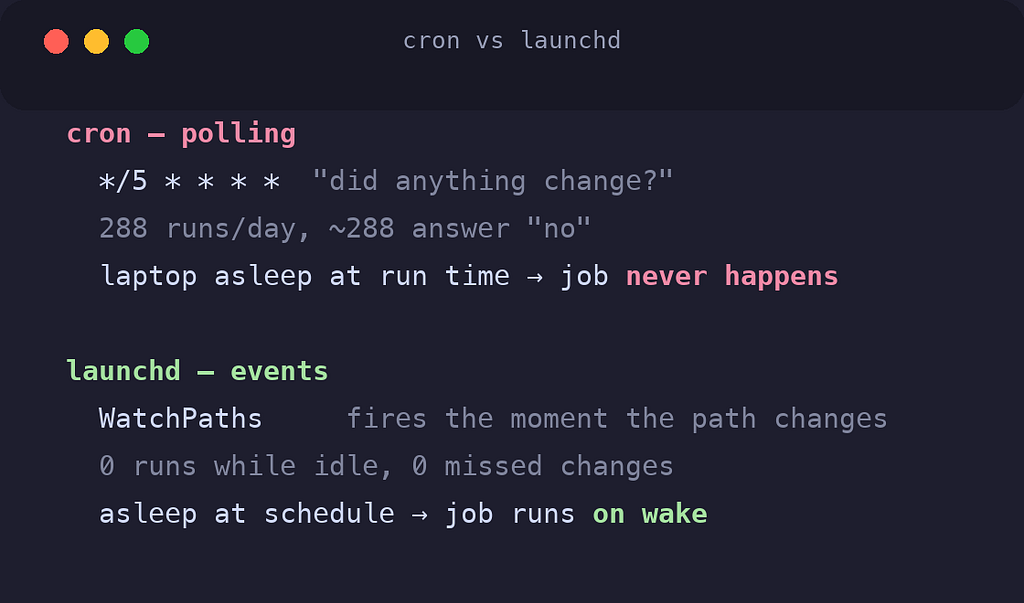
Every five minutes, forever, my machine wakes up a process to ask: did anything change?
Almost every time, the answer is no.
That's the fundamental shape of cron: polling. It doesn't know about events. It only knows about time. So you're forced into a bad trade:
- Poll frequently → hundreds of pointless executions a day, just in case
- Poll rarely → changes sit uncommitted for an hour, defeating the purpose
And cron on a laptop has a second, sneakier problem. cron assumes the machine is on. Close the lid at 11:58, and the noon job simply doesn't happen. No retry, no catch-up, nothing. Servers are always on; laptops sleep. cron was designed for servers.
What I actually wanted was simple to state:
When the filesystem changes, run my script. Otherwise, do nothing at all.
That's not a schedule. That's an event.
⚙️ The Daemon You Already Have
macOS ships with launchd: it's literally process 1, the thing that boots every service on your system. Apple replaced cron with it internally years ago (your Mac's cron jobs are themselves run by launchd).
Most developers know launchd exists. Almost nobody uses its best feature:
WatchPaths, launchd will watch a filesystem path at the OS level, and fire your job the moment it changes.
<key>WatchPaths</key>
<array>
    <string>/opt/homebrew/Cellar</string>
    <string>/opt/homebrew/Caskroom</string>
</array>
That's the whole trick. Homebrew installs every package into /opt/homebrew/Cellar: so any install or uninstall, from any shell, any script, any tool, changes that directory. The OS notices. My script runs.
No polling. No wasted executions. Zero CPU while idle. The job exists as a registered intention, and the kernel does the watching.
The full job definition is one plist file:
<?xml version="1.0" encoding="UTF-8"?>
<plist version="1.0">
<dict>
    <key>Label</key>
    <string>com.paurushrai.dotfiles-sync</string>

    <key>ProgramArguments</key>
    <array>
        <string>/bin/bash</string>
        <string>/Users/paurushrai/Developer/infra/dotfiles/sync.sh</string>
    </array>

    <key>WatchPaths</key>
    <array>
        <string>/opt/homebrew/Cellar</string>
    </array>

    <key>StartCalendarInterval</key>
    <dict>
        <key>Hour</key><integer>12</integer>
        <key>Minute</key><integer>0</integer>
    </dict>

    <key>ThrottleInterval</key>
    <integer>60</integer>

    <key>StandardOutPath</key>
    <string>/Users/paurushrai/Library/Logs/dotfiles-sync.log</string>
</dict>
</plist>
Drop it in ~/Library/LaunchAgents/, register it once:
launchctl bootstrap gui/$(id -u) ~/Library/LaunchAgents/com.paurushrai.dotfiles-sync.plistIt survives reboots. It runs whether or not a terminal is open. It's part of the OS now.
I tested it the honest way: installed a package and touched nothing:
$ brew install jq
... 8 seconds later, zero shell involvement:
67ba27e chore: auto-sync .Brewfile  → pushed to GitHub ✅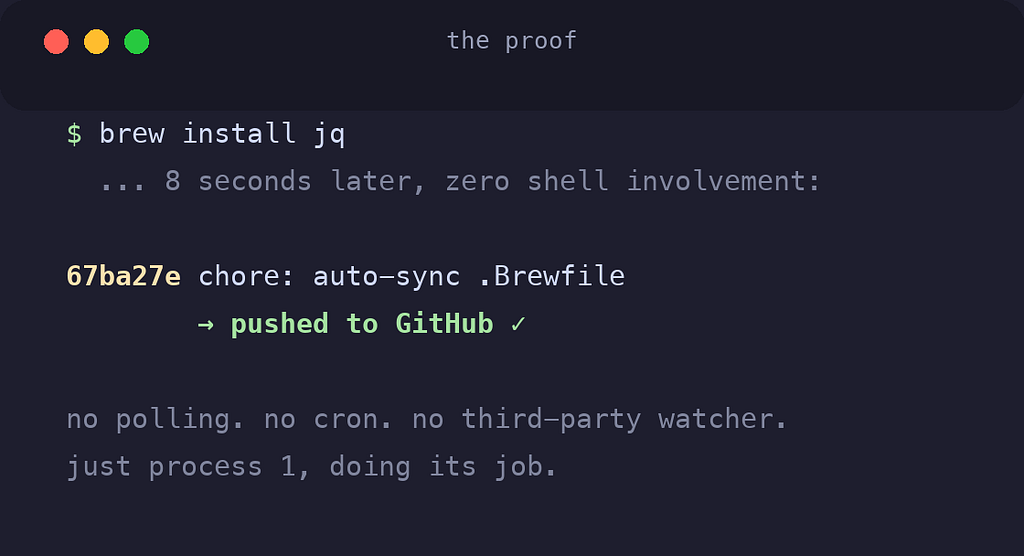
🧩 Three Keys That Do the Heavy Lifting
The plist above has three design decisions baked in, and each one replaced code I would otherwise have had to write.
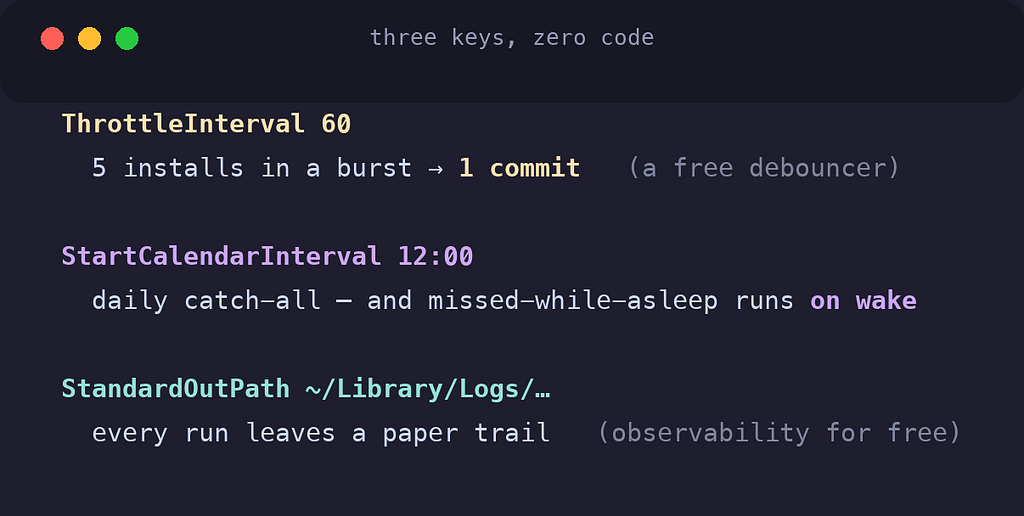
ThrottleInterval: 60 is a free debouncer. Install five packages in a row and the filesystem fires five events: but launchd won't run the job more than once per 60 seconds, so I get one commit covering all five. In cron-world, batching like this is logic you write and test yourself. Here it's one integer.
StartCalendarInterval is cron's schedule: minus cron's laptop problem. It gives me a daily noon run as a catch-all for anything the watches miss. And unlike cron, if the machine is asleep at noon, launchd runs the job when it wakes. Missed schedules execute late instead of never. For a laptop, that single behavior ends the comparison.
StandardOutPath is observability for free. Every run's output appends to a log file I chose. When I wondered why something didn't fire, the answer was already written down.
🔁 The Trap That Bites Everyone
Now the confession. My script commits to a git repo: and my first instinct was to watch the repo directory itself. One watch entry, covers every file. Elegant.
It's also an infinite loop.
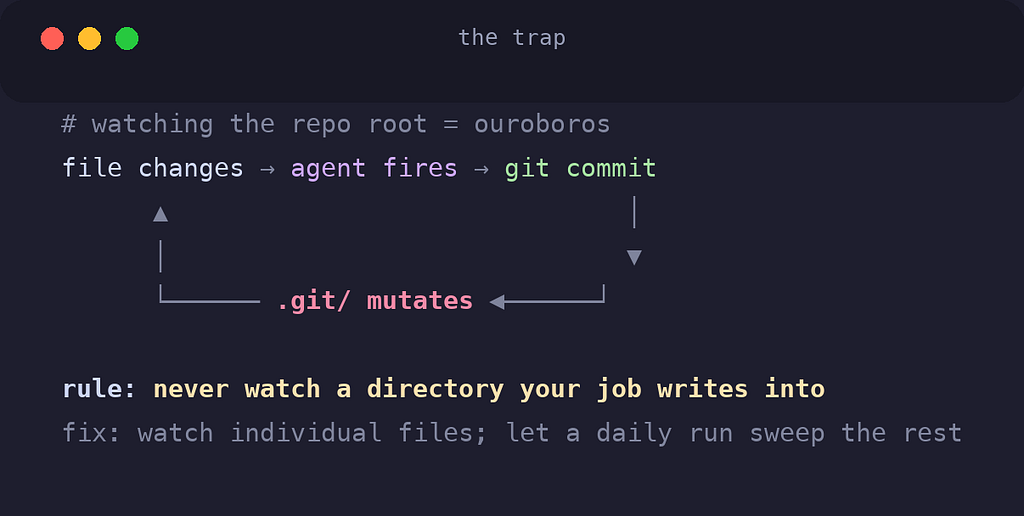
Every git commit mutates .git/. So: a change fires the agent → the agent commits → the commit changes .git/ → which is inside the watched directory → which fires the agent again. Forever.
The fix is a rule worth memorizing:
Never watch a directory that your job writes into.
I watch individual files instead: each tracked dotfile gets its own WatchPaths entry, and the repo root is deliberately absent. The trade-off: a brand-new file in a deep subdirectory isn't noticed instantly; the daily noon run sweeps it up. A fair price for a system that cannot chase its own tail.
Two more traps from the same afternoon, so you don't repay my tuition:
- Don't symlink the plist. I keep the plist in my dotfiles repo and copy it into
~/Library/LaunchAgents/: launchd is unreliable with symlinked job definitions on modern macOS. The repo holds the source of truth; the installer deploys a copy. - launchd jobs get a minimal environment. No your-shell
PATH, no aliases, none of your.zshrc. My script sets its ownPATHin line one. If your job "works in the terminal but not in launchd," it's almost always this.
🔔 Make It Speak, Then Make It Wait
A background job you can't see is a background job you'll stop trusting.
My script announces every commit with one line of native macOS:
osascript -e 'display notification "Committed & pushed: .Brewfile" with title "dotfiles sync"'First test: I never saw it. Banner notifications fade in five seconds.
The fix wasn't code: it was a setting almost nobody changes: System Settings → Notifications → Script Editor → Alerts. Alert-style notifications stay on screen until dismissed. Now every sync waits in the corner for me to acknowledge it, with the changed filenames in the message.
Design detail that matters: the script only notifies when something was actually committed. A no-op run is silent. A notification that fires constantly is a notification you've already learned to ignore: alert fatigue kills observability faster than no alerts at all.
🛠 The Cheat Sheet
Everything you need to run your own:
# register (once, or after editing the plist)
launchctl bootstrap gui/$(id -u) ~/Library/LaunchAgents/com.example.myjob.plist
# unregister
launchctl bootout gui/$(id -u)/com.example.myjob# is it loaded?
launchctl list | grep myjob# what happened?
tail -f ~/Library/Logs/myjob.logAnd the decision table I wish I'd had:
- Job should react to a file or directory changing →
WatchPaths - Job should run on a schedule, laptop-safe →
StartCalendarInterval - Job fires in bursts that should batch →
ThrottleInterval - Job needs to run the moment it's registered →
RunAtLoad - You're about to type
crontab -eon a Mac → stop, write a plist
🎯 The Lesson Under the Lesson
The automation I built is small. The principle isn't.
I almost reached for cron because cron is what I knew: and I almost reached for a file-watcher npm package because that's what search results suggest. Both would have worked, badly: one polling on a timer, the other adding a dependency to do what the OS does natively.
The boring, built-in, twenty-year-old tool was better than both. Event-driven instead of polled. Laptop-aware instead of server-assuming. Zero dependencies instead of one more thing to install on the next machine.
Before you add a tool, ask what the OS already ships.
The answer is more often than you think: everything you needed, sitting in process 1, waiting since 2005.
What's running in your LaunchAgents folder?
I'm curious what others have automated at the OS level, and what traps you hit doing it. The WatchPaths feedback loop can't be the only one.