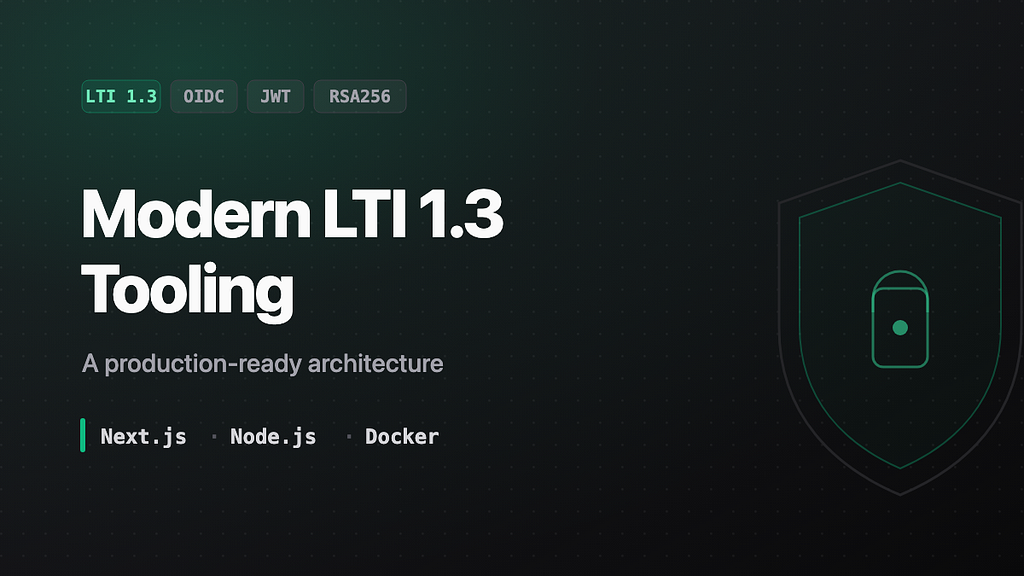
If you have ever tried to build an integration for a Learning Management System (LMS) like Canvas, Moodle, or Blackboard, you know the pain. Specifically, the pain of LTI 1.3 (Learning Tools Interoperability).
It involves a complex dance of OIDC logins, JWKS keysets, RSA signatures, and private keys. It is meant to be secure, but for a developer just wanting to "embed a web app in Canvas," it can feel like a nightmare.
This is the architecture I landed on: Node.js for the security layer, Next.js for the frontend, split apart on purpose rather than built as one monolith.
🔗 GitHub Repository: github.com/paurushrai/lti-1.3-node-nextjs-template
🧐 What is LTI 1.3 and Why Should You Care?
LTI (Learning Tools Interoperability) is the standard that allows external tools (like your app) to communicate with an LMS (like Canvas).
In the past, LTI 1.1 was easy: you shared a "secret key" and "consumer key". But it was insecure. LTI 1.3 moves to the modern information-security model:
- OIDC (OpenID Connect) for the login flow.
- JWTs (JSON Web Tokens) for data exchange.
- Public/private key encryption (RSA256) instead of shared secrets.
This makes it incredibly secure, but also harder to implement from scratch.
🏗 The Architecture
To solve this, we are not going to build a monolith. We are going to separate our security provider from our application UI.
The Tech Stack
- Backend (the security guard): Node.js + Express +
ltijs(the standard Node.js library for LTI 1.3, by Cvmcosta). - Frontend (the experience): Next.js 14+ (App Router) + React + Tailwind CSS.
- Database: PostgreSQL (stores cryptographic keys and platform registrations).
- Infrastructure: Docker Compose.
The Problem: The "Third-Party Cookie" Apocalypse
A major challenge with LTI tools is that they run inside an <iframe> within the LMS. Modern browsers (Safari, Chrome Incognito) block third-party cookies by default.
If your web app relies on a session cookie (connect.sid)? It will fail in Safari.
The Solution: The "LTIaaS" Token Flow
This project implements a "stateless" token pattern to bypass the cookie limitation:
- LMS launch: The LMS sends a request to our Node.js backend.
- Handshake: The backend verifies the signature. If valid, it generates a short-lived, one-time-use ltik (LTI key).
- Redirect: The backend redirects the iframe to the Next.js frontend, passing the token in the URL:
https://myapp.com/app?ltik=eyJhb... - Hydration: The Next.js app grabs this token from the URL.
- API calls: The frontend uses this token as a Bearer token in the
Authorizationheader for all future API calls.
No cookies required!
🚀 How to Set This Up (Step-by-Step)
Here is how you can get this running on your local machine in five minutes.
1. Prerequisites
You need Docker installed. You also need ngrok (or a similar tunneling service) because LTI tools must be served over HTTPS. You cannot simply use localhost.
2. Clone the Repository
git clone https://github.com/paurushrai/lti-1.3-node-nextjs-template.git
cd lti-1.3-node-nextjs-template
3. Configure Environment
Copy the example environment file:
cp lti-server/.env.example lti-server/.envGenerate a random secure key and paste it into LTI_KEY inside .env.
4. Start the Tunnel
Start ngrok on port 3000 (this is where our Node server lives).
ngrok http 3000Copy your https URL (e.g., https://my-tool.ngrok-free.app).
5. Running the App
Open lti-server/.env again and set UI_URL to your ngrok URL.
Now, boot everything up with Docker:
docker-compose up --buildYou now have:
- LTI server:
http://localhost:4000 - Next.js client:
http://localhost:3000 - Postgres: connected automatically.
🔌 Connecting to the LMS (The "Magic" Link)
In the old days, you had to manually copy-paste public keys and URLs. This project supports LTI Dynamic Registration.
- Copy your registration URL:
https://<your-ngrok-domain>/lti/register - Go to your LMS (e.g., Canvas Admin → Developer Keys).
- Select "Dynamic Registration".
- Paste the URL and click Register.
Boom. 💥 The tool and the LMS automatically exchange public keys. The tool is now installed.
🧪 Testing the Flow
- Create a generic assignment or module item in your LMS course.
- Select "External Tool" and choose your new tool.
- Launch it.
- You will see the Next.js app load inside the iframe.
- It will display: "Welcome, [Your Name]" and your role (Instructor/Student).
The app successfully:
- Authenticated the launch.
- Decoded your user profile from the LTI launch data.
- Passed it securely to the frontend.
Would you split the security layer from the UI the same way?
Separating the protocol logic (Node/ltijs) from the application logic (Next.js) is what made this tractable: the security layer stays boring and auditable, and the UI stays a normal Next.js app that doesn't need to know anything about OIDC or JWKS.
The code is on GitHub if you want to fork it and start from something that already handles the handshake: lti-1.3-node-nextjs-template. Curious whether anyone's hit a case where splitting the two layers like this got in the way instead of helping.