Here's the git config I run on every machine: eleven global settings and twenty aliases, each one there because it kills a specific daily annoyance. Steal all of it.
A while back, a teammate watched me push a brand-new branch and stopped me:
"Wait, how did that just work? No
--set-upstream?"
One line of config. He'd been typing the workaround for years.
That conversation is why this article exists. Most developers run git on factory defaults: and git's factory defaults aren't designed for you. They're designed for compatibility. Git would rather interrupt you a thousand times than surprise you once.
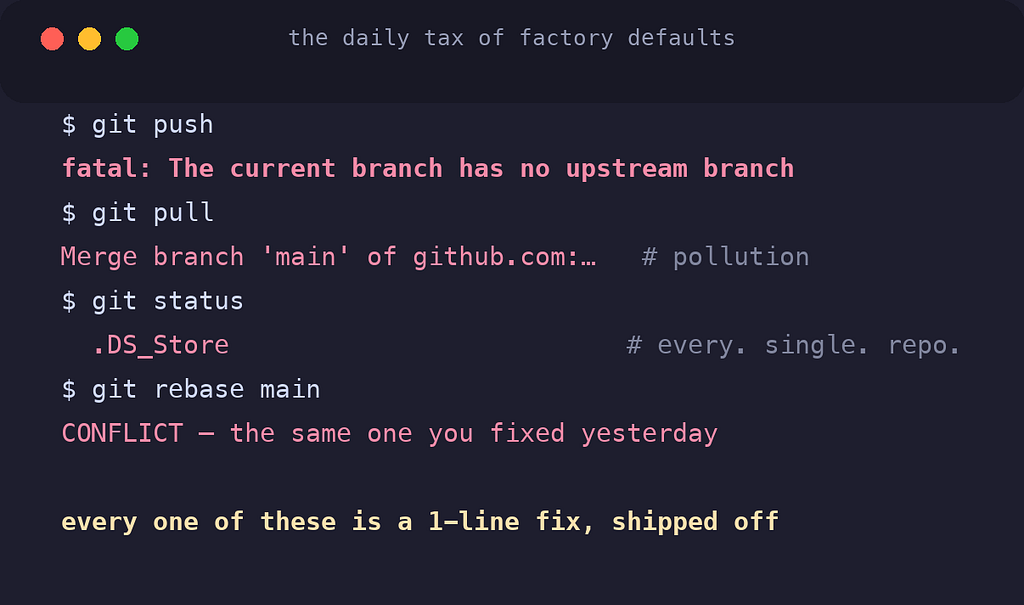
So everyone quietly pays the same daily tax, mostly without noticing anymore:
fatal: The current branch has no upstream branch: typed the fix so often it's muscle memory- Merge commits polluting history because a plain pull merges
.DS_Storeshowing up in everygit statuson every Mac project- Resolving the same rebase conflict for the fifth time
- Committing to the office repo with a personal email
Every one of these is a one-line fix that git ships with, turned off.
What follows is my actual config: the one that travels with me to every machine. Not a dump of everything git supports: every line here earned its place by killing a real annoyance. Two acts: the global settings first, because they change git's behavior everywhere; then the aliases, because they change how fast you can drive it.
🪪 Act One: Identity: the Setting That Can Embarrass You
Start with the one that has consequences:
git config --global user.name "Paurush Rai"
git config --global user.email "personal@email.com"
Obvious. But here's the part most developers never set up: automatic work/personal routing.
I keep employer code under ~/Developer/company/. One block in ~/.gitconfig:
[includeIf "gitdir:~/Developer/company/"]
    path = ~/.gitconfig-work
And ~/.gitconfig-work holds exactly one thing:
[user]
    email = work@company.com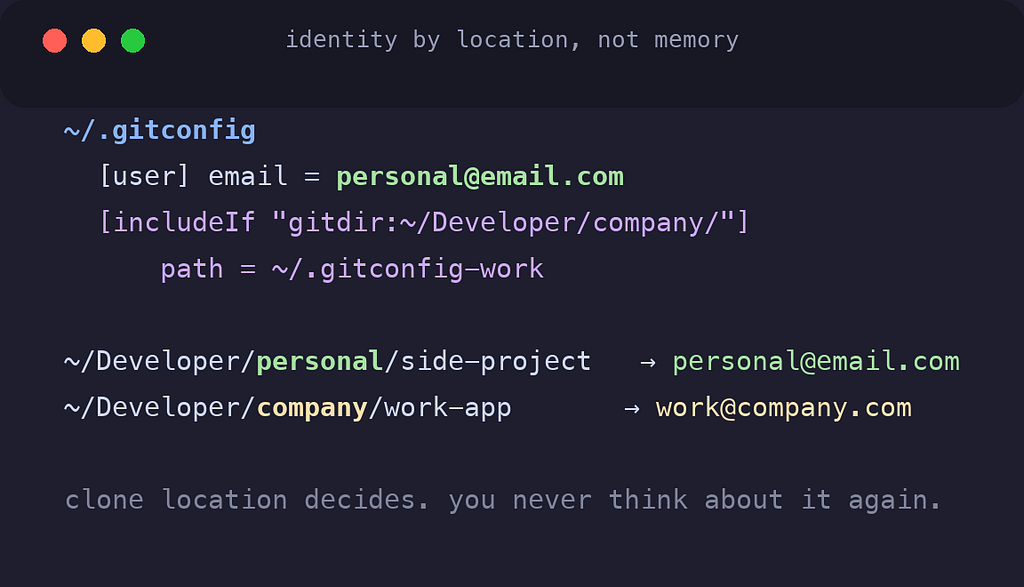
Now identity is decided by where the repo lives. Clone anything into company/ → work email, automatically. Everything else → personal. No remembering, no per-repo setup, no personal email in the corporate audit log: and no work email on weekend side projects.
(Note what's not in the work file: the name. includeIf layers on top of the global config, so the work file only declares what differs: the email. Everything else inherits.)
This matters more than it looks, because commit emails are permanent. Push with the wrong identity and it's in history forever; GitHub attributes the commit to whichever account owns that email. Identity should be a property of the repo, not of whatever you last remembered to type.
⚙️ Act One, Continued: The Behavior Settings
Eleven lines. Each kills a specific, recurring annoyance.
Never see "no upstream branch" again
git config --global push.autoSetupRemote trueThe error every developer has memorized, fatal: The current branch has no upstream branch, exists so git can ask permission to do the obvious thing. This setting grants it permanently. First push on a new branch just works. (This is the line that stopped my teammate mid-sentence.)
Stop generating accidental merge commits
git config --global pull.rebase trueA default git pull is fetch + merge, which is how "Merge branch 'main' of github.com..." commits end up wallpapering your history. With this, pull replays your local commits on top of what arrived. Linear history, no noise.
Make new repos start on main
git config --global init.defaultBranch mainOtherwise every git init starts on master and you rename it later. One line, never think about it again.
Stop hoarding dead branches
git config --global fetch.prune trueWhen a branch is deleted on the remote (merged PRs, mostly), your local copy of origin/that-branch lingers forever. This auto-deletes the stale references on every fetch. Your branch list stays honest.
Ban .DS_Store from every repo forever
git config --global core.excludesfile ~/.gitignore_global
echo ".DS_Store" > ~/.gitignore_global
A global ignore file applies on top of every repo's own .gitignore. macOS droppings, editor swap files: handled once, machine-wide, instead of once per project.
The conflict resolver's trinity
git config --global merge.conflictstyle zdiff3
git config --global rerere.enabled true
git config --global rebase.autostash true
Three settings that together transform conflict resolution:
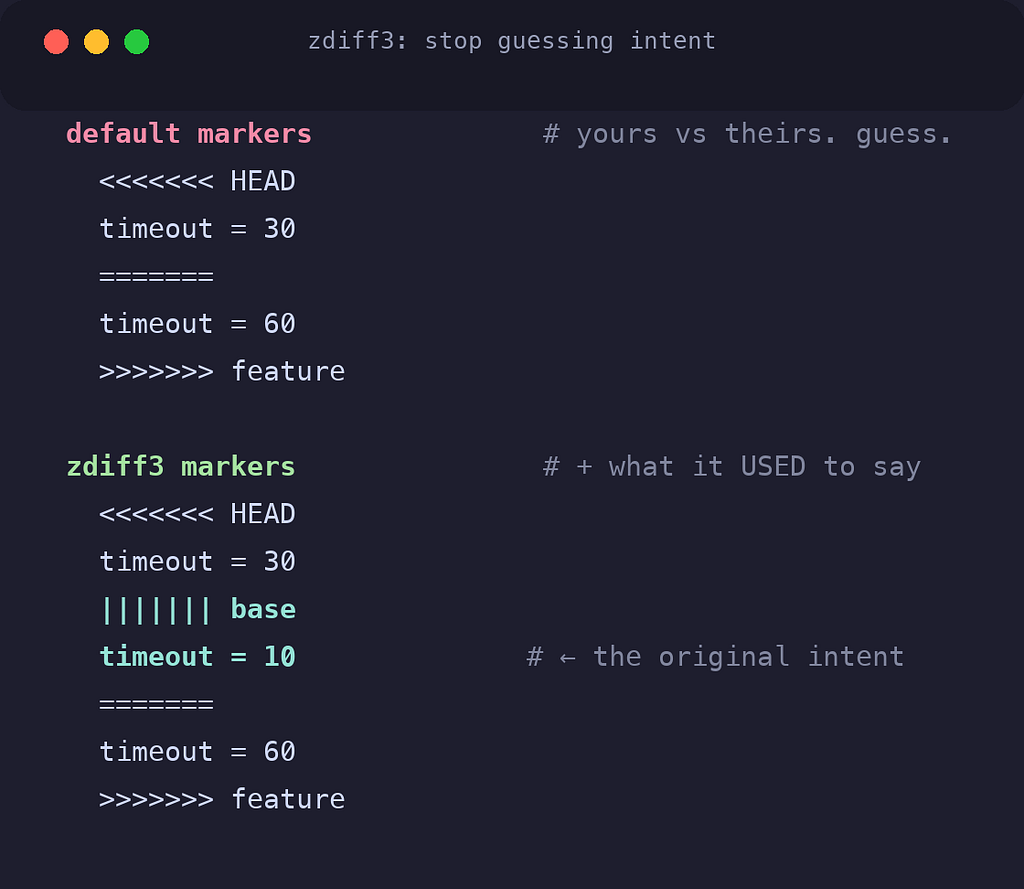
zdiff3 adds a third section to conflict markers: the original text both sides started from. Standard markers show you "yours" and "theirs" and make you guess the intent. Seeing the common ancestor turns guessing into reading.
rerere ("reuse recorded resolution") is the sleeper hit of all eleven. Git records how you resolve each conflict: and when the same conflict reappears (rebases love repeating conflicts), it replays your resolution automatically. The fifth identical conflict resolves itself.
autostash removes the "cannot rebase: you have unstaged changes" dance. Git stashes your work, rebases, and restores it. What you were doing survives.
Quality-of-life, two lines
git config --global diff.algorithm histogram
git config --global branch.sort -committerdate
Histogram produces meaningfully cleaner diffs than the default Myers algorithm: fewer of those scrambled blocks where git pairs unrelated lines. And sorting branches by recent activity means git branch shows what you're actually working on first, not alphabetical archaeology.
⌨️ Act Two: The Aliases
Settings change git's behavior. Aliases change your speed. I keep a curated twenty, grouped by what they save.
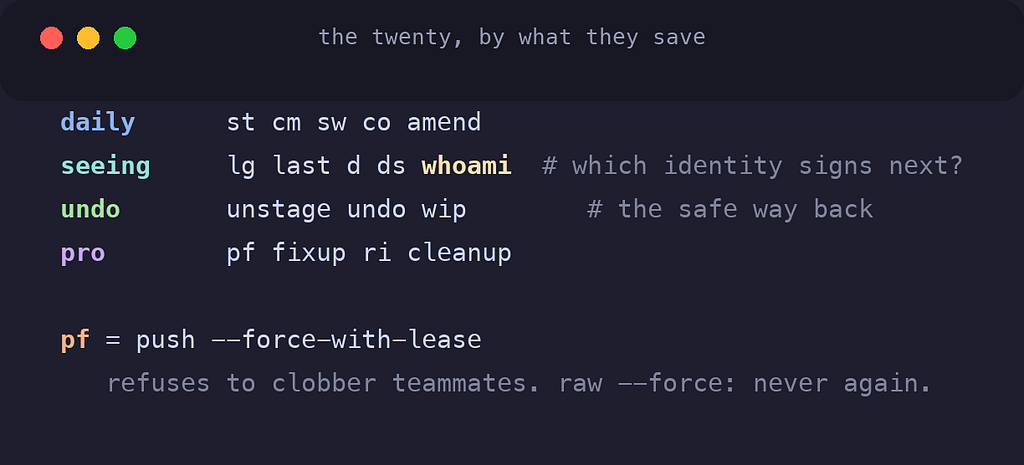
The daily drivers
st     = status -sb
cm     = commit -m
sw     = switch
co     = checkout
amend  = commit --amend --no-edit
status -sb deserves a note: it's the two-line status. Branch state plus changed files, no paragraphs of advice you stopped reading years ago.
Seeing clearly
lg     = log --oneline --graph --decorate -20
last   = log -1 HEAD --stat
d      = diff
ds     = diff --staged
whoami = !echo "$(git config user.name) <$(git config user.email)>"
git lg is my "where am I", twenty commits, drawn as a graph. And git whoami closes the loop on Act One: run it in any repo and it prints exactly which identity will sign the next commit. In company/ it shows my work email; everywhere else, personal. Trust, verified in one command.
Undo without fear
unstage = restore --staged
undo    = reset --soft HEAD~1
wip     = !git add -A && git commit -m "wip: checkpoint"
undo un-commits without destroying anything: changes land back in staging. wip snapshots everything before risky surgery. Most git anxiety is not knowing the safe way back; these are the safe way back.
The pro moves
pf      = push --force-with-lease
fixup   = commit --fixup
ri      = rebase -i --autosquash
cleanup = !git branch --merged | grep -vE "^\*|main|master" | xargs git branch -d
pf is the important one: --force-with-lease force-pushes only if the remote is where you last saw it: meaning it physically refuses to overwrite a teammate's work that landed in between. There is no situation where raw --force is the better choice. Aliasing it means my fingers never type the dangerous version.
The fixup + ri pair is the clean-history workflow: commit a fix targeted at an earlier commit, then one interactive rebase folds everything into place automatically.
🎯 The Part That Makes It Permanent
Here's the thing about config: building it is easy. Keeping it is the actual problem. A config that lives only on your current machine is a config you'll be rebuilding from memory on your next one.
My ~/.gitconfig isn't a loose file, it's a symlink into a dotfiles repo that auto-commits and pushes every change the moment it happens. When I added a new alias recently, a background agent had committed it to GitHub before I'd finished testing it.
(That system, symlinks plus a launchd agent, no cron, no third-party tools: is its own story, which I've written up separately.)
The consequence: this entire setup, identity routing and all twenty aliases included, lands on any machine with one install.sh. Configure once, keep forever.
📋 The Whole Thing, Copy-Paste Ready
# identity (edit these!)
git config --global user.name "Your Name"
git config --global user.email "you@personal.com"

# behavior
git config --global init.defaultBranch main
git config --global push.autoSetupRemote true
git config --global pull.rebase true
git config --global fetch.prune true
git config --global core.excludesfile ~/.gitignore_global
echo ".DS_Store" > ~/.gitignore_global
git config --global merge.conflictstyle zdiff3
git config --global rerere.enabled true
git config --global rebase.autostash true
git config --global diff.algorithm histogram
git config --global branch.sort -committerdate

# aliases
git config --global alias.st "status -sb"
git config --global alias.cm "commit -m"
git config --global alias.sw "switch"
git config --global alias.co "checkout"
git config --global alias.amend "commit --amend --no-edit"
git config --global alias.lg "log --oneline --graph --decorate -20"
git config --global alias.last "log -1 HEAD --stat"
git config --global alias.d "diff"
git config --global alias.ds "diff --staged"
git config --global alias.unstage "restore --staged"
git config --global alias.undo "reset --soft HEAD~1"
git config --global alias.wip '!git add -A && git commit -m "wip: checkpoint"'
git config --global alias.pf "push --force-with-lease"
git config --global alias.fixup "commit --fixup"
git config --global alias.ri "rebase -i --autosquash"
git config --global alias.cleanup '!git branch --merged | grep -vE "^\*|main|master" | xargs git branch -d'
git config --global alias.root "rev-parse --show-toplevel"
git config --global alias.aliases "config --get-regexp ^alias"
git config --global alias.whoami '!echo "$(git config user.name) <$(git config user.email)>"'
Plus the identity routing, if you keep work code in a dedicated directory:
git config --global includeIf."gitdir:~/Developer/company/".path ~/.gitconfig-work
printf '[user]\n    email = you@work.com\n' > ~/.gitconfig-work
The Lesson
None of these settings is impressive alone. That's the point.
Git's defaults optimize for never surprising anyone, which means they interrupt everyone. Each line above converts one recurring interruption into silence, and silence compounds. Multiply a few saved seconds and one avoided wrong-email commit across every repo you'll ever touch, and this half-hour of configuration is some of the highest-leverage time you'll spend on tooling.
My teammate set up push.autoSetupRemote the same afternoon he saw it. The workaround he'd been typing for years disappeared with one line, it just took seeing someone not pay the tax to realize it was optional.
Consider this article that moment, in written form. Run cat ~/.gitconfig and look at what's actually in there.
Defaults are for compatibility. Configuration is for you.
What's in your gitconfig?
I'm always hunting for the next one-line fix. If you have a setting or alias that earned its place, that's how I found half of mine.