Your code isn't the bottleneck. Your environment is.
Most developers spend hours debating:
- React vs Vue
- Docker vs Podman
- Claude Code vs Cursor
- PostgreSQL vs MySQL
Meanwhile, the thing they interact with every single day gets almost no attention:
Their development workspace.
A few months ago, I needed to revisit a project I hadn't touched in almost a year.
I remembered a few things:
- It used PostgreSQL.
- Redis was involved somewhere.
- The application ran in Docker.
- There were AI tools in the workflow.
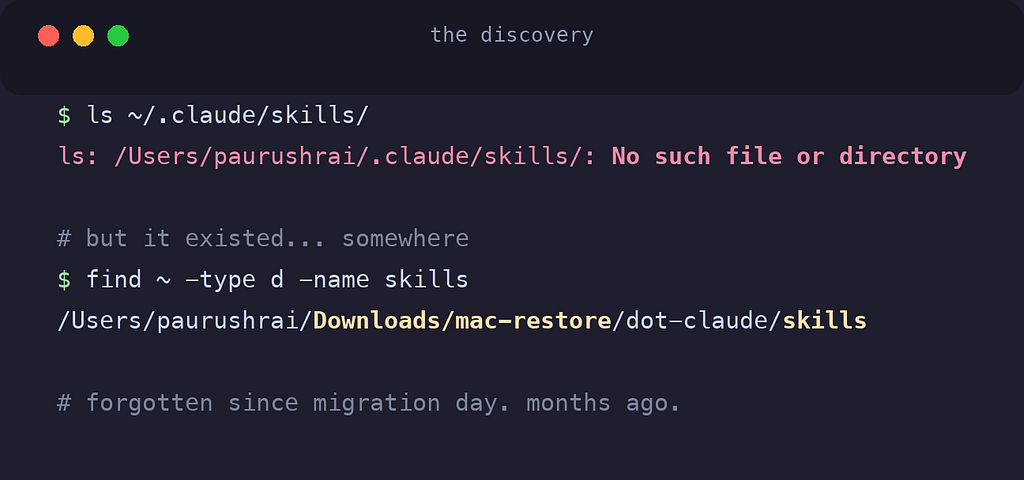
What I didn't remember was where any of it lived.
The code wasn't the problem. The architecture wasn't the problem.
My development environment was.
Somewhere between working at startups, building side projects, experimenting with AI tooling and managing client work, my machine had turned into a collection of disconnected projects, duplicated environments, and forgotten infrastructure.
Every new project solved an immediate problem. None of them solved the long-term one:
How do you organize a development environment that scales with your career?
That question led me to completely redesign how I structure my workspace.
🚨 The Problem Most Developers Ignore
Early in our careers, project organization usually looks something like this:
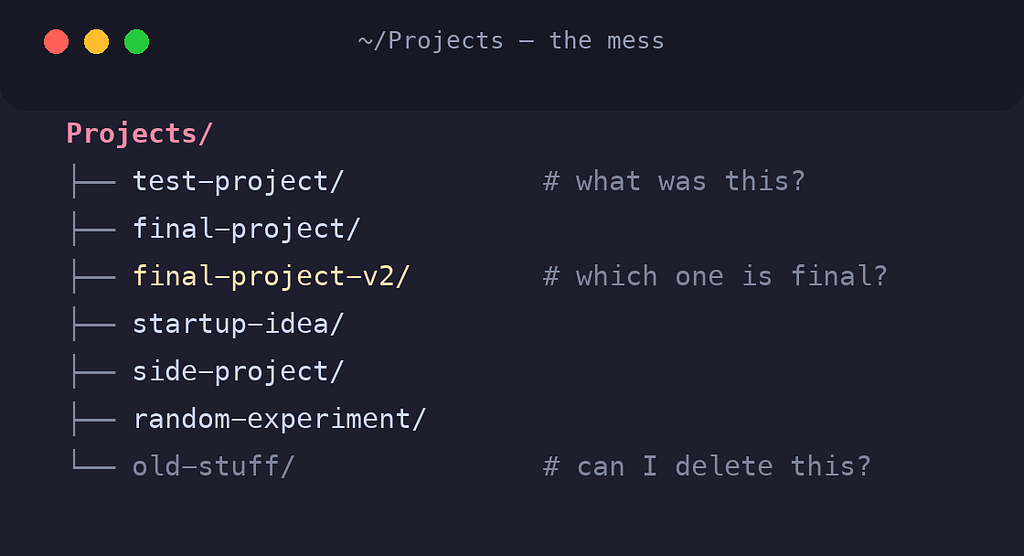
At first, it works.
Then life happens.
You join a company. You start freelancing. You launch a startup. You build open-source projects. You begin experimenting with AI tooling. You start running PostgreSQL, Redis, Docker containers, and local services.
The number of projects isn't the problem. The lack of structure is.
As repositories multiply, so does the mental overhead:
- Where is that repository?
- Which PostgreSQL instance belongs to which project?
- Where is the Docker configuration?
- Can I delete this folder safely?
- Why do I have three different Node.js versions installed?
These questions sound small. But over years of development, they compound into a massive productivity drain.
🧠 Thinking Like a Systems Engineer
The breakthrough came when I stopped treating my workstation like a collection of projects: and started treating it like a software system.
I asked myself one question:
What would my development environment look like if I had to manage hundreds of repositories over the next decade?
That question completely changed my approach.
Instead of optimizing for today's projects, I optimized for:
- Multiple employers
- Startup ventures
- Client work
- Open-source contributions
- Docker-first development
- AI-assisted development
- Easy machine migration
- Long-term maintainability
The result became this:
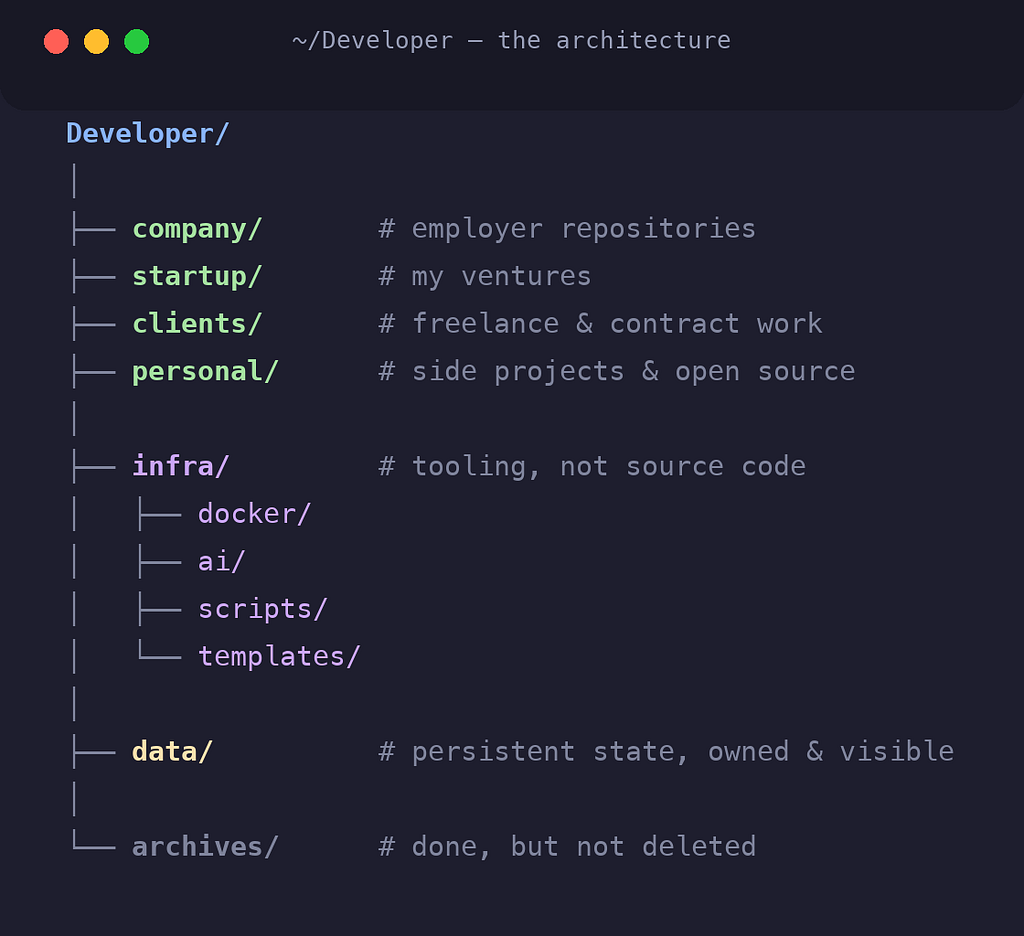
Simple. Predictable. Scalable.
🧱 Source Code Is Not Infrastructure
One of the biggest mistakes I see developers make is mixing source code with infrastructure.
Repositories should contain:
- Business logic
- Application code
- Tests
- Documentation
They should not become dumping grounds for:
- Local scripts
- Docker experiments
- Database storage
- AI tooling
- Machine-specific configuration
That's why I introduced a dedicated infrastructure layer:
infra/
├── docker/
├── ai/
├── scripts/
└── templates/
Infrastructure evolves independently from applications. Separating them keeps repositories clean and focused.
🐳 The Docker Rule That Simplified Everything
I wanted a Docker-first development environment. But not every repository should be treated the same way.
The rule I landed on is surprisingly simple.
✅ If I can modify the repository
1 Project = 1 Containerized Development Environment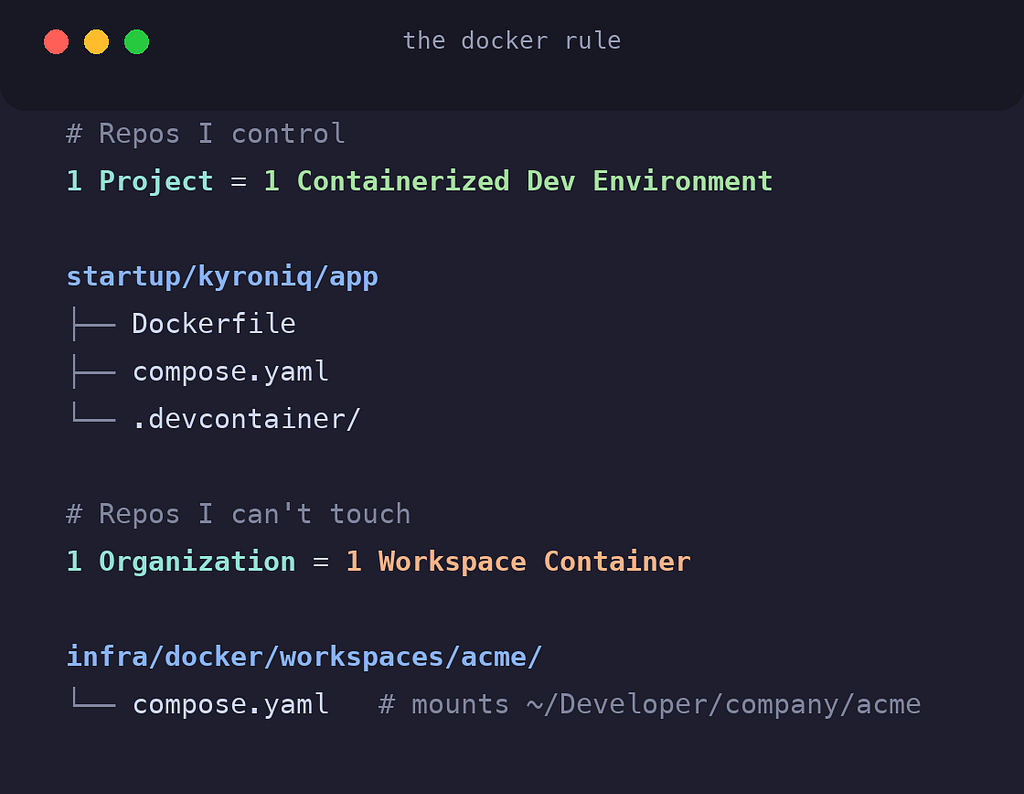
Every project gets its own isolated environment.
The benefits:
- Dependency isolation
- Reproducibility
- Easier onboarding
- CI/CD alignment
- Better AI tooling support
The project becomes self-contained. If someone clones it tomorrow, they get the exact same environment.
🔒 If I cannot modify the repository
1 Organization = 1 Workspace ContainerThis is especially useful for company repositories.
Instead of adding Docker files to repositories I don't control, I create an external workspace container:
infra/docker/workspaces/acme/The workspace mounts every repository belonging to that organization:
volumes:
  - ~/Developer/company/acme:/workspace
This lets me keep a Docker-first workflow without touching company-owned code.
It's a small distinction: but it eliminates a lot of friction.
💾 Why I Separate Data From Everything Else
This was probably the most important architectural decision.
Most developers either:
- Store data inside repositories, or
- Rely entirely on Docker-managed volumes.
I didn't like either approach. Instead, I created a dedicated data layer:
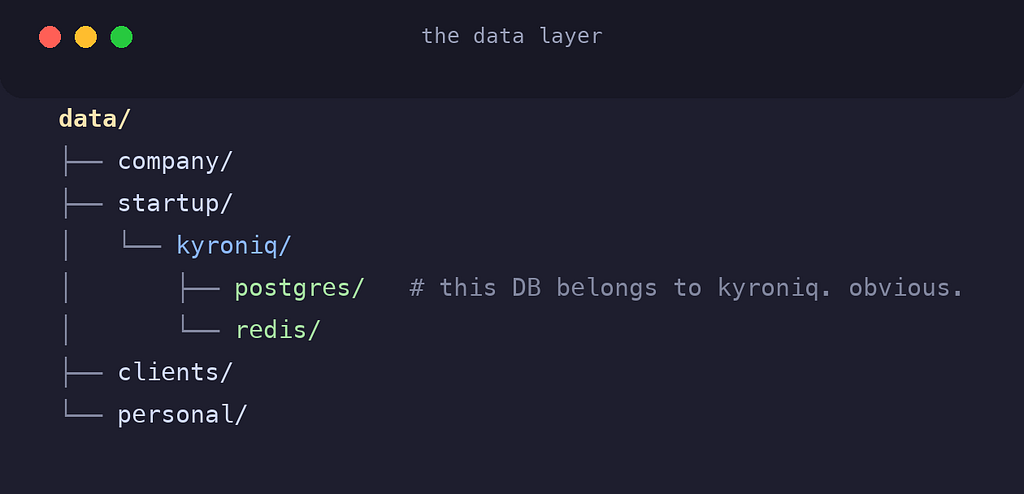
This structure makes ownership obvious. I immediately know:
- Which project owns the data
- Which database belongs to which application
- What can be archived
- What needs backup
The benefits are significant:
- Cleaner repositories
- Easier backups
- Simpler migration
- Faster Git operations
- Better visibility into storage usage
Most importantly:
I always know where my data lives.
🤖 Building for an AI-Native Future
The way we write software is changing. AI tools are becoming part of the development environment itself:
- Claude Code
- Codex
- Gemini CLI
- Local models
- Future autonomous agents
Most developers still treat these as project-level tools.
I decided to treat them as infrastructure:
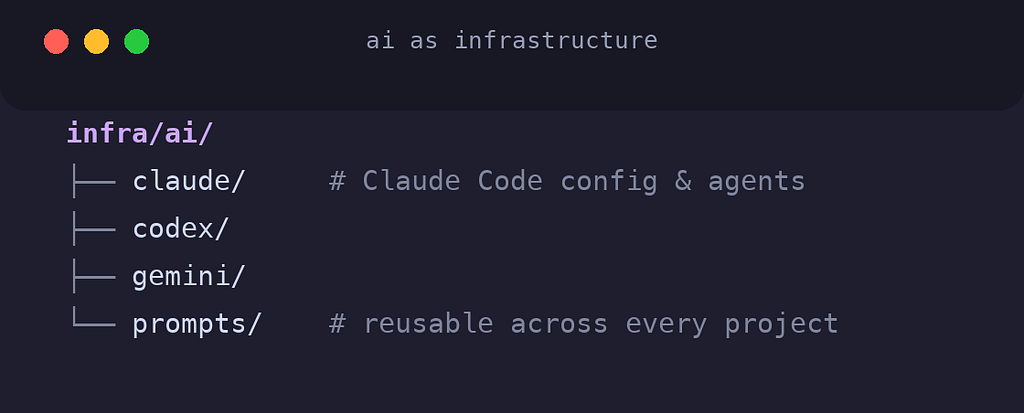
This creates a reusable AI layer that works across every project.
As tooling evolves, my repositories stay clean. The AI stack changes independently from the applications themselves.
That separation will become increasingly valuable over the next few years.
⚡ The Biggest Productivity Gain Wasn't Docker
It wasn't AI. It wasn't automation.
It was reducing cognitive load.
When every project follows a predictable structure:
company/
startup/
clients/
personal/
I no longer ask questions like:
- Where did I clone this repository?
- Which database belongs to this project?
- Which company owns this codebase?
- Where is the Docker configuration?
- Can I archive this safely?
The answer is obvious.
And that consistency compounds. Every context switch becomes faster. Every new project becomes easier to onboard. Every future decision becomes simpler.
📦 Machine Migration Becomes Boring
Most developers don't think about migration until they buy a new laptop.
Then the pain begins: Docker volumes. Configuration files. Scripts. Databases. Environment variables. Nobody remembers where everything lives.
My goal was simple:
If my machine died today, I should be able to rebuild everything from a single directory.
Everything important lives under:
Developer/Repositories. Infrastructure. Persistent data. That's it.
The development environment becomes portable.
And portability is one of the most underrated productivity features you can invest in.
🎯 The Real Lesson
The folder structure itself isn't the important part. The mindset behind it is.
Good engineers don't just architect applications. They architect systems.
Your workstation is a system. Your development workflow is a system. Your productivity is a system.
The more intentional you are about designing those systems, the less energy you spend fighting them: and the more energy you have for solving actual engineering problems.
A well-designed development environment won't make you a better developer overnight.
But over thousands of hours of work, it quietly removes friction from every project you touch.
That's where the real productivity gains come from.
💬 What does your development workspace look like?
I'm always curious how other engineers organize their environments, especially now that Docker, Dev Containers, and AI-assisted development are becoming part of the standard workflow.
The tooling landscape changes every year.
A good workspace architecture should survive all of them.